Friday, October 14, 2005

File names missing in thumbnail view

Question from Denny:

"All of a sudden...only when I am in "thumbnail view" in "my Pictures"...the writing (heading) under each folder is'nt there. The folders are there...it's just that you have to float your cursor over each one so that the title of each one comes up. Once I go into any of the subfolders it's normal and ok. It's just the first "my pictures" main page. If I change view to icons, etc...I do get the headings or titles of the folders...but not in thumbnail view. Wierd huh? I hope you can help me"

Hi Denny,

See Tip #2 in the following page:

microsoft.com/technet/..tips/default.mspx

Which says:

To turn off filenames, hold down the Shift key when you click to open a folder in Windows Explorer or when you switch into thumbnail view. This will turn of the file names, giving more space for the thumbnails. Doing it again turns them back on.

Hope this helps!

Tuesday, October 11, 2005

Exe files open with Notepad?

Question:

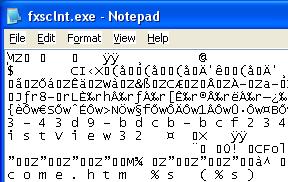
"I am facing a very strange problem. I changed the program associated to a macromedia flash file to Notepad (right click -> properties -> open with -> Notepad) It somehow screwed everything up. Now all applications open on Notepad. Even when I click Internet explorer, a Notepad window opens, nothing works any more. I try to open System Restore and a Notepad window opens. Here is a screenshot."


Using the Open-with option for executables is not really needed. The accidental changes that you've made is revertable by altering the registry. I've written a tutorial here which explains how to overcome this problem.

.EXE files always open with Notepad or any other application ?

I hope this helps.

Friday, October 07, 2005

.DAT file association in Windows XP

Question:

My .dat files have somehow become associated with Nero. How can I remove the
association and have the files with no associated program as it was originally.

Actually, .DAT files can be anything (video, data file or something else.) By default, .dat files are not associated with any application. If you've accidentally associated .DAT files with Nero or Windows Media Player, you can reset the associations to defaults.

Click Start, Run and type this:

reg delete HKCR\.DAT /ve /f